Kukirin Life Developer Group: Join and Redeem Codes
Join the Kukirin Life developer group to redeem Cash and crate codes, find community updates, and start customizing your scooter in Roblox. Start now.
Jump to
Who Runs the Kukirin Life Developer Group?
A group requirement can stand between you and free scooter customization. The Kukirin Life developer group is Mukbang Lovers, and joining it is required before redeeming codes. Join the Kukirin Life developer group to access code redemption, then put the Cash and Basic Crate rewards toward your ride.
The name is easy to overlook if you are searching Roblox for a group called “Kukirin Life.” Look for Mukbang Lovers, the group attached to the experience. Kukirin Life appears on Roblox as Kukirin Life [Testing], with fade & noel named as its developers.
Start at the Kukirin Life experience page on Roblox when finding the game and its developer group. Using the experience’s creator connection gives you a direct route to the group you need for redemption.
Here is the game’s identity and activity snapshot from October 9, 2026:
| Detail | Kukirin Life information |
|---|---|
| Roblox experience title | Kukirin Life [Testing] |
| Developer group | Mukbang Lovers |
| Named developers | fade & noel |
| Group membership | 7,928 members |
| Roblox genre | Simulation / Vehicle Sim |
| Experience creation date | September 19, 2026 |
| Latest update in this snapshot | October 9, 2026 |
| Maximum server size | 20 players |
| Total visits | 2,149,261 |
| Favorites | 26,451 |
| Players online at snapshot time | 17,611 |
Those activity numbers describe that date, rather than a live player counter. The practical detail for joining remains the group name: Mukbang Lovers.
Kukirin Life is a fan-made e-scooter experience and is not affiliated with the KuKirin brand. Its developer group belongs to the Roblox game, so keep that distinction in mind when looking for game updates or community information.
How to Join and Access Code Redemption
Join the Kukirin Life developer group before entering your codes. This prerequisite applies to the redemption system, so handle membership before working through the reward list.
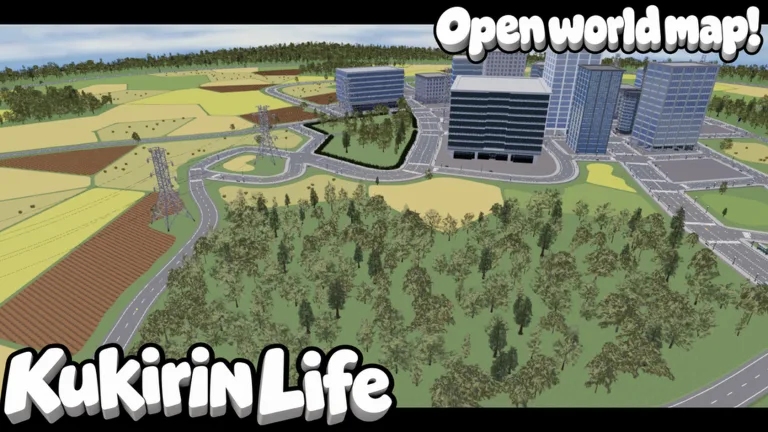 Image: Roblox / Mukbang Lovers
Open the Roblox experience page, find Mukbang Lovers as the creator, and open that group’s page to join. Use the same Roblox account for membership and gameplay. Then launch Kukirin Life through the Roblox Player app and head to its settings.
The redemption controls sit inside the game’s menu:
| Step | What to do |
|---|---|
| Join the group | Become a member of Mukbang Lovers on Roblox |
| Launch the experience | Open Kukirin Life in the Roblox Player app |
| Open the menu | Use the menu button on the left |
| Open Settings | Select the tab marked with a gear icon |
| Enter a code | Put the code into the code box |
| Claim the reward | Select “Redeem Code” |
| Continue | Repeat the process for the remaining codes |
Keep the group requirement separate from the code itself. If the game asks you to join, check your Mukbang Lovers membership before changing the code’s spelling.
For the codes below, capitalization does not affect redemption. The characters still matter, though: TEST1NG contains the numeral 1, while CR4TE and MORECR4TE contain the numeral 4. Copying the exact strings avoids mixing up letters and numbers.
Redeem each entry individually and check the reward before moving to the next one. That makes it easier to keep track of which freebies you have already claimed, especially when several codes award the same type of crate.
Codes to Use After Joining
The October 10, 2026 code lineup includes three entries offering Cash or Basic Crates. Start with these exact spellings after joining the Kukirin Life developer group:
| Code | Reward | Status dated October 10, 2026 |
|---|---|---|
MORECR4TE | 1 Basic Crate | Active |
TEST1NG | 750 Cash | Active |
CR4TE | 1 Basic Crate | Active |
Redeem codes promptly because expiration can remove access to their rewards. The dated lineup above gives you a clear starting point without assigning an expiration date to these three entries.
What the Rewards Do
Cash is the game’s main currency. It buys items at in-game shops, crates through the Crates menu, and additional Kukirins through the Kukirin Dealership. The 750 Cash from TEST1NG gives you extra spending room while you explore those options.
Basic Crates provide random customization items. Both CR4TE and MORECR4TE award a crate, so redeeming them gives you access to randomized customization rewards. Choose your scooter’s look after seeing what you receive instead of planning around a particular drop.
Check your available customization items before spending Cash on more crates. Use the code rewards to explore the customization system, then decide whether your next purchase should be another crate or a different scooter.
The Kukirin Life developer group matters here because membership is required to redeem the codes. The codes themselves provide the listed rewards; entering TEST1NG is the step associated with receiving its 750 Cash.
Keep reward types straight when planning purchases. Cash rewards belong to the in-game currency economy, while the paid passes listed later use Robux. Check the currency shown for an item before selecting it.
Put Your Rewards Toward Your Scooter
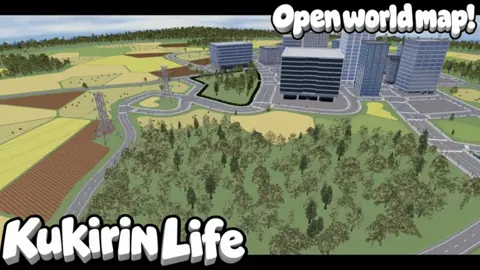
Kukirin Life centers on riding e-scooters around a large map with varied roads, customizing your vehicle, and taking part in police chases. It also includes quests and achievements, giving you more to explore beyond the dealership.
You begin with a free starter scooter. Take it out before buying another model, explore the roads, and visit the tuning interface to see which changes appeal to you.
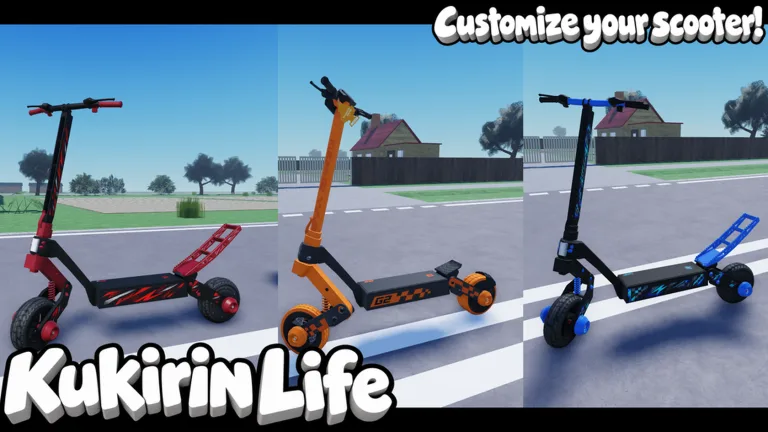
Customization covers several visible parts of your ride:
| Feature | What you can change or use |
|---|---|
| Rim customization | Adjust rim colors |
| Tire customization | Adjust tire colors |
| Accessories | Add options such as suspension and bull bars |
| Protective accessories | Customize guards and their colors |
| Hardware | Work with vehicle hardware options |
| Crates | Obtain random customization items |
| Helmet | Wear an available helmet |
Pick a color combination before adjusting every part. For example, use one color for the rims and another for the guards, then compare the result with your tire color. The tuning interface lets you experiment with the appearance of individual components.
Inspect your crate items alongside those tuning options. A random item gives you something new to work with, but your existing scooter remains useful for exploring the map and trying different looks.
Check Rewards Before Shopping
The game includes daily rewards and quests. Check the daily reward feature and review completed quests before returning to the dealership or Crates menu.
Make that check part of your session:
- Claim the available daily reward.
- Review quests and collect completed rewards.
- Redeem any codes you have not used.
- Look through your customization options.
- Compare purchases with your current Cash balance.
This sequence helps you see your available resources before deciding what to buy. Keep using the starter scooter while comparing other models, particularly if a new crate item already gives you a customization change you want.
Police chases are another part of the experience. Try exploring the map’s varied roads as well as spending time in the tuning interface; customization and driving are both central to the game.
Separate Cash Purchases From Robux Passes
Paid passes offer additional options, including visual effects and a Cash multiplier. These prices describe the October 9, 2026 snapshot:
| Game pass | Price |
|---|---|
| VIP | 249 Robux |
| Rainbow Underglow | 39 Robux |
| Rainbow Paint | 99 Robux |
| Custom Paint | 49 Robux |
| Rainbow Smoke | 79 Robux |
| 2x Cash | 199 Robux |
Choose a pass based on the feature you want. Compare paint options if you are focused on appearance, or inspect the 2x Cash pass if you are considering the currency multiplier.
Check the current purchase screen before spending Robux. The prices above are dated, and joining the developer group serves the code-redemption requirement.
Follow the Community for New Codes and Updates
The Kukirin Life developer group and the Kukirin Life Community Discord server serve different purposes. Mukbang Lovers is the Roblox group required for redemption. The developer-operated Discord community is where new codes are routinely posted.
Use those names carefully when navigating the community. Start from the Roblox experience page to identify the game and its creator group, then follow the developers’ own community information for code announcements.
The game is receiving ongoing updates, with additional scooters, points of interest, and other content planned. Its [Testing] title is useful context when following those changes: watch for announcements that explain what has been added before rearranging your spending plans.
When reading a new code announcement, check three details:
- The exact code spelling, including numerals.
- Whether the reward is Cash or a crate.
- Any expiration date stated in the announcement.
Then redeem it through the Settings tab. Keep the process simple: membership first, exact code second, reward check third.
The Kukirin Life developer group is especially useful to understand early because it removes a prerequisite from your next redemption attempt. Once you have joined, you can focus on checking new codes, collecting rewards, and deciding what belongs on your scooter.
Play with friends to compare customization choices and explore the roads together. Use the free starter ride, available rewards, and tuning options to build a look you enjoy before committing to additional purchases.
FAQ
What is the Kukirin Life developer group called?
The Kukirin Life developer group is Mukbang Lovers on Roblox. The experience is titled Kukirin Life [Testing], and its named developers are fade & noel.
Do I need to join Mukbang Lovers to redeem codes?
Yes. Join Mukbang Lovers before redeeming codes. Then launch Kukirin Life, open the left-side menu, select the Settings gear, enter a code, and press “Redeem Code.”
What rewards do Kukirin Life codes give?
The October 10, 2026 lineup includes TEST1NG for 750 Cash, plus CR4TE and MORECR4TE for one Basic Crate each. Basic Crates provide random customization items.
Where can I find new Kukirin Life codes?
New codes are routinely posted in the developer-operated Kukirin Life Community Discord server. Check the exact spelling and any stated expiration date, then redeem them in the game’s Settings tab.
Continue with
 Kukirin Life Discord: How to Join and Find New CodesFind the Kukirin Life discord community, learn how to check invite links, and redeem Cash and Crate codes. Get practical tips for this Roblox scooter game.
Popular pages
Kukirin Life Codes (October 2026): Free Cash & Crate
Get Kukirin Life codes for 750 Cash and a Basic Crate. Follow redemption steps, check your group membership, and fix common code errors before you ride.
Kukirin Life Difficulty: Driving and Chase Tips Guide
Learn about Kukirin Life difficulty, practice scooter handling, approach police chases, and compare customization passes before spending Robux in Roblox.
Kukirin Life Kukirin G4 Ultra: Access and Pass Guide
Explore Kukirin Life Kukirin G4 Ultra availability, compare Roblox game pass prices, and plan your next ride through this fan-made e-scooter simulation.
Kukirin Life Fast Travel: Map and Road Planning Guide
Plan your routes with this Kukirin Life fast travel guide. Explore varied roads, scooter customization, police chases, and the current game pass prices.
Join the community
Official channels for news, updates and player help: